API Configuration
Some tools within MalChela rely on external services. In order to use these integrations, you must configure your API credentials.
Tools That Use API Keys
| Tool | Service | Key File | Purpose |
|---|---|---|---|
fileanalyzer |
VirusTotal | vt-api.txt |
Hash lookup |
tiquery |
VirusTotal | vt-api.txt |
Hash and URL lookup (Tier 1) |
tiquery |
MalwareBazaar | mb-api.txt |
Multi-source hash lookup (Tier 1) |
tiquery |
AlienVault OTX | otx-api.txt |
Multi-source hash lookup (Tier 1) |
tiquery |
MetaDefender | md-api.txt |
Multi-source hash lookup (Tier 1) |
tiquery |
Hybrid Analysis | ha-api.txt |
Multi-source hash lookup (Tier 2) |
tiquery |
FileScan.IO | fs-api.txt |
Multi-source hash lookup (Tier 2) |
tiquery |
Malshare | ms-api.txt |
Multi-source hash lookup (Tier 2) |
tiquery |
Triage | tr-api.txt |
Multi-source hash lookup (Tier 2) |
tiquery |
urlscan.io | url-api.txt |
URL lookup (optional — raises rate limits) |
tiquery |
Google Safe Browsing | gsb-api.txt |
URL lookup |
Where to Configure
MalChela stores API keys as plain text files in the api/ directory of your workspace:
api/vt-api.txt
api/mb-api.txt
api/otx-api.txt
api/md-api.txt
api/ha-api.txt
api/fs-api.txt
api/ms-api.txt
api/tr-api.txt
api/url-api.txt
api/gsb-api.txt
Each file should contain a single line with your API key. Keys are read at runtime — tools automatically skip sources whose key file is absent.
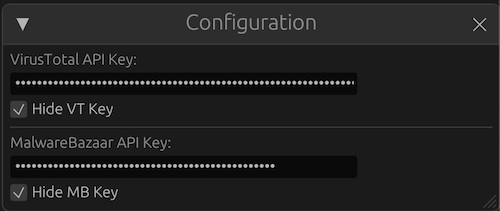
API Configuration Utility
Managing Your Keys with the Configuration Utility
The MalChela web interface includes a built-in Configuration Panel that lets you easily Create or update API key files without opening a text editor.
Look for the API Key Management section in the Configuration Panel. Changes take effect immediately and persist across sessions.
Best Practices
- Keep these files private. Do not commit them to Git or share them publicly.
If a tool requires an API key but none is found, it will log a warning and skip external requests.