Installing and Configuring YARA-X
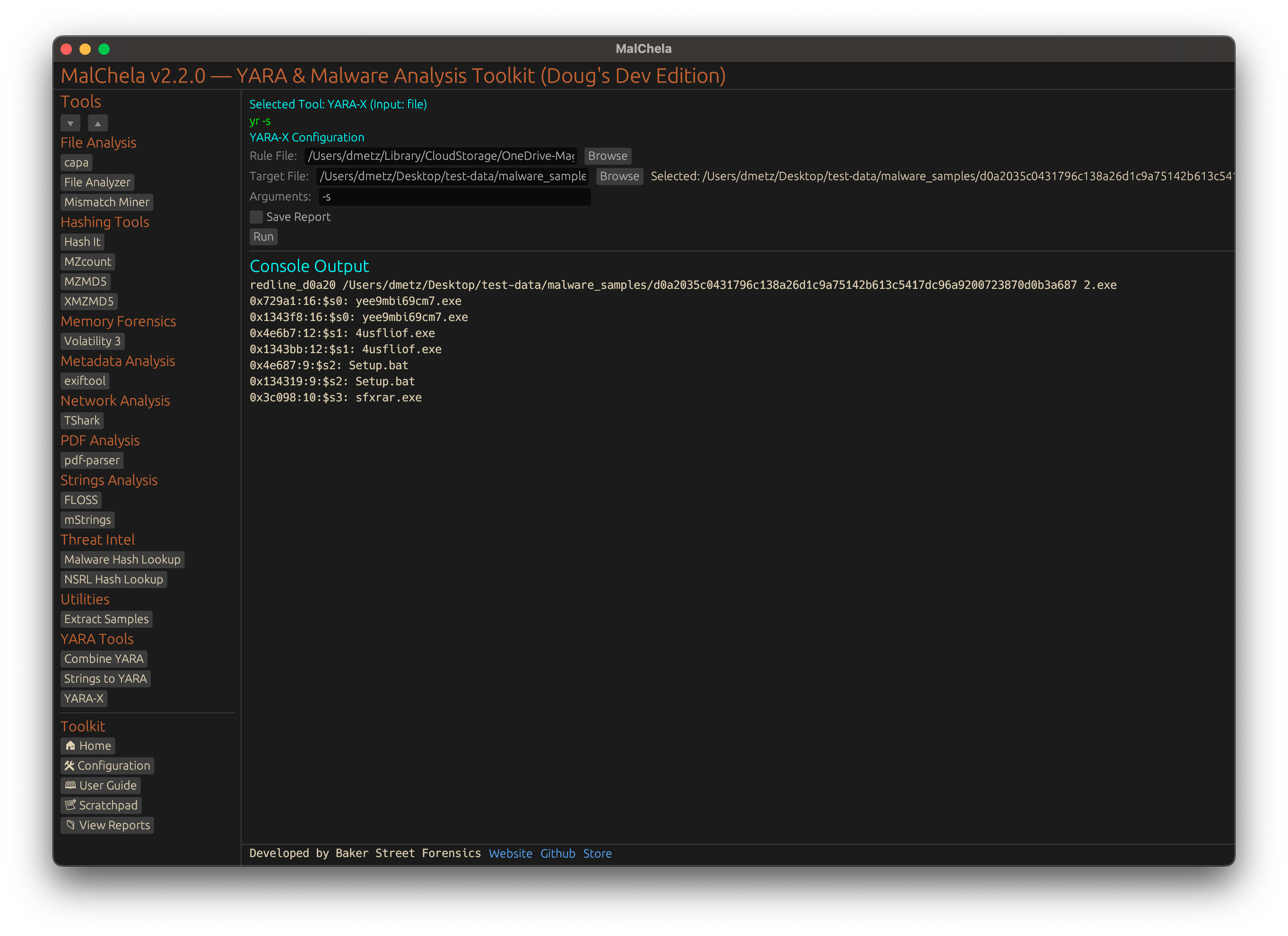
YARA-X
YARA-X is VirusTotal's Rust rewrite of YARA. MalChela uses it in two separate ways, and only the second one needs anything installed:
- The built-in engine. As of v4.4, every MalChela tool that matches YARA rules has the yara-x library compiled in: YARA Scan, File Analyzer, MZHash, XMZHash, MZcount, and mismatchminer. There is nothing to install or configure. For scanning with your own rules, start with YARA Scan: it takes the same arguments as
yr scanfor the common options, and saves reports to a case. - The YARA-X integration. An optional panel for running VirusTotal's own
yrcommand-line scanner, with its full set of options. Use it for what YARA Scan doesn't cover, such as compiled rules (-C), module data (-x),--fast-scan,--profiling, oryr's other subcommands.yris a separate program, and building MalChela does not produce it.
Installing yr
Pick one:
-
With Cargo (you already have Rust if you built MalChela):
bash
cargo install yara-x-cli
This puts
yrin~/.cargo/bin, which rustup adds to yourPATH. -
From a release build: Download the archive for your platform from github.com/VirusTotal/yara-x/releases, extract it, and put
yrin a directory on yourPATH. -
With Homebrew (macOS):
bash
brew install yara-x
Confirm it runs:
yr --version
If yr is installed somewhere that isn't on the server's PATH, add its directory to tool_paths in server_config.yaml.
Enabling the Panel
The YARA-X entry is already in tools.yaml, commented out under Special Tools Integrations. Uncomment it:
- name: YARA-X
  description: "Run YARA-X with custom rule and target file"
  command: ["yr"]
  input_type: file
  file_position: "last"
  category: "YARA Tools"
  optional_args: []
  exec_type: binary
  cargo: false
Keep command: ["yr"] as written. The web interface recognizes yr and opens the YARA-X panel in place of the generic tool form: a rules path, a target file or folder, a recursive option, and extra arguments. After a restart, it appears under YARA Tools and is counted under Integrations on the home page.
Using YARA-X Rules
- The panel runs
yr scan [--recursive] [extra args] <rules> <target>. - The rules path is usually a single
.yaror.yarafile.yralso accepts a folder of rules, or you can merge a folder into one file first with Combine YARA. - YARA-X is highly compatible with YARA, but it doesn't support every legacy module or construct.
yr check <rules>reports any rules that won't compile.
Tips
- See the YARA-X documentation for command-line options and the differences from YARA.