REMnux Mode

MalChela includes built-in support for running in REMnux Mode, a configuration designed specifically for seamless operation within the REMnux malware analysis distribution.
How REMnux Mode Works
REMnux Mode is a configuration profile that aligns MalChela’s behavior with the REMnux malware analysis distribution. It adjusts paths, tool definitions, and web interface presentation to match the REMnux environment.
This mode is manually enabled by selecting “Load REMnux” from the tools.yaml Configuration Panel in the web interface. Once selected, a REMnux-specific tools.yaml file is loaded and remains active until you replace it with another configuration.
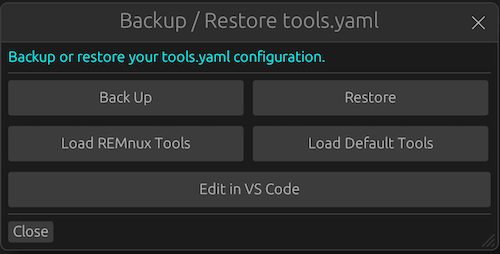
Enabling REMnux mode
Note: Whenever you change the tools.yaml, you can use the "Reload Sidebar" button to update the tool listings in the sidebar.
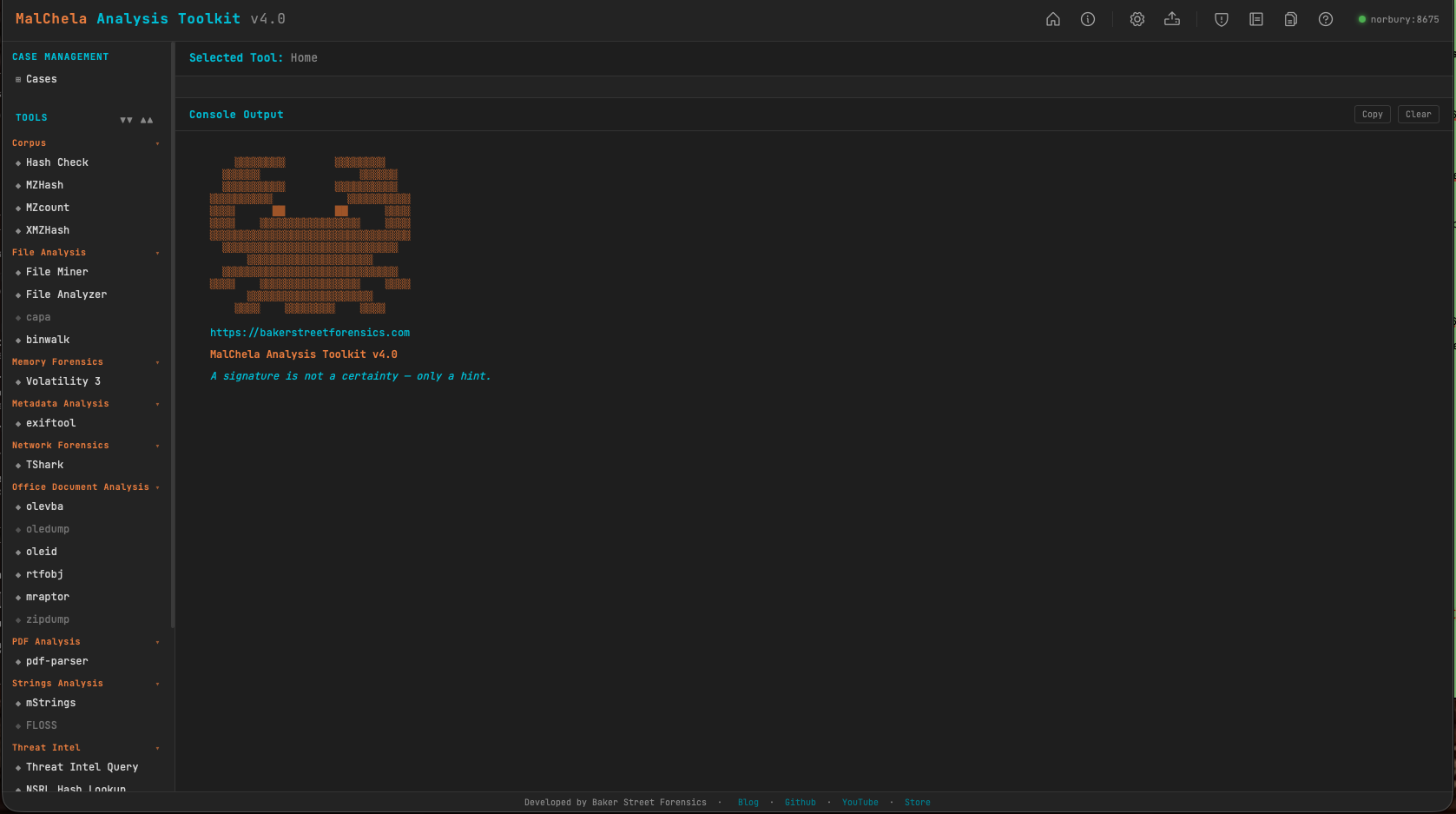
MalChela in REMnux Mode
Preconfigured Tools in REMnux Mode
The following tools will appear in the web interface when REMnux Mode is enabled. Each is preconfigured with known-good paths for the REMnux environment:
File Analysis
| Tool | Description | Command |
|---|---|---|
| binwalk | Scan binary files for embedded files | binwalk |
| capa | Detects capabilities in binaries via rules | capa |
| FLOSS | Extract obfuscated strings from binaries | floss |
Memory Forensics
| Tool | Description | Command |
|---|---|---|
| Volatility 3 | Memory analysis using Volatility 3 | vol3 |
Metadata Analysis
| Tool | Description | Command |
|---|---|---|
| exiftool | Extract metadata from files | exiftool |
Network Forensics
| Tool | Description | Command |
|---|---|---|
| TShark | Analyze network traffic | tshark |
Office Document Analysis
| Tool | Description | Command |
|---|---|---|
| mraptor | Detect auto-executing macros in Office docs | mraptor |
| oledump | Dump streams from OLE files | oledump.py |
| oleid | Analyze OLE files for suspicious indicators | oleid |
| olevba | Extract VBA macros from OLE files | olevba |
| rtfobj | Extract embedded objects from RTF files | rtfobj |
| zipdump | Parses and analyzes suspicious PDF structures | zipdump.py |
PDF Analysis
| Tool | Description | Command |
|---|---|---|
| pdf-parser | Parse structure and objects of a PDF file | python3 /usr/local/bin/pdf-parser.py |
Utilities
| Tool | Description | Command |
|---|---|---|
| clamscan | Antivirus scan using ClamAV | clamscan |
| strings | Extracts printable strings from binary files | strings |
Benefits
- Tools like Volatility 3, FLOSS, oledump, and olevba are preconfigured and ready to go
tools.yamlis auto-tailored to the REMnux environment- You can still customize your tool entries, but defaults are optimized for REMnux paths and permissions
- Useful for education, triage labs, and portable analysis setups
Customizing the REMnux Experience
Although REMnux Mode provides sane defaults, you can still:
- Override tool entries in
tools.yaml - Add new third-party tools via the web interface or YAML
- Use the Configuration Panel to backup/restore your configuration
For more information about REMnux, visit REMnux.org.