Code Sign Check
Code Sign Check inspects macOS code signing by parsing the code signature superblob directly from the Mach-O binary — no dependency on system codesign tooling. It identifies whether a binary is Developer-signed, ad-hoc signed, or completely unsigned, and extracts the Team ID, Bundle ID, entitlements, and CodeDirectory version.
Accepts either a .app bundle path (resolves the binary via Info.plist) or a direct path to a Mach-O binary. Handles fat/universal binaries.
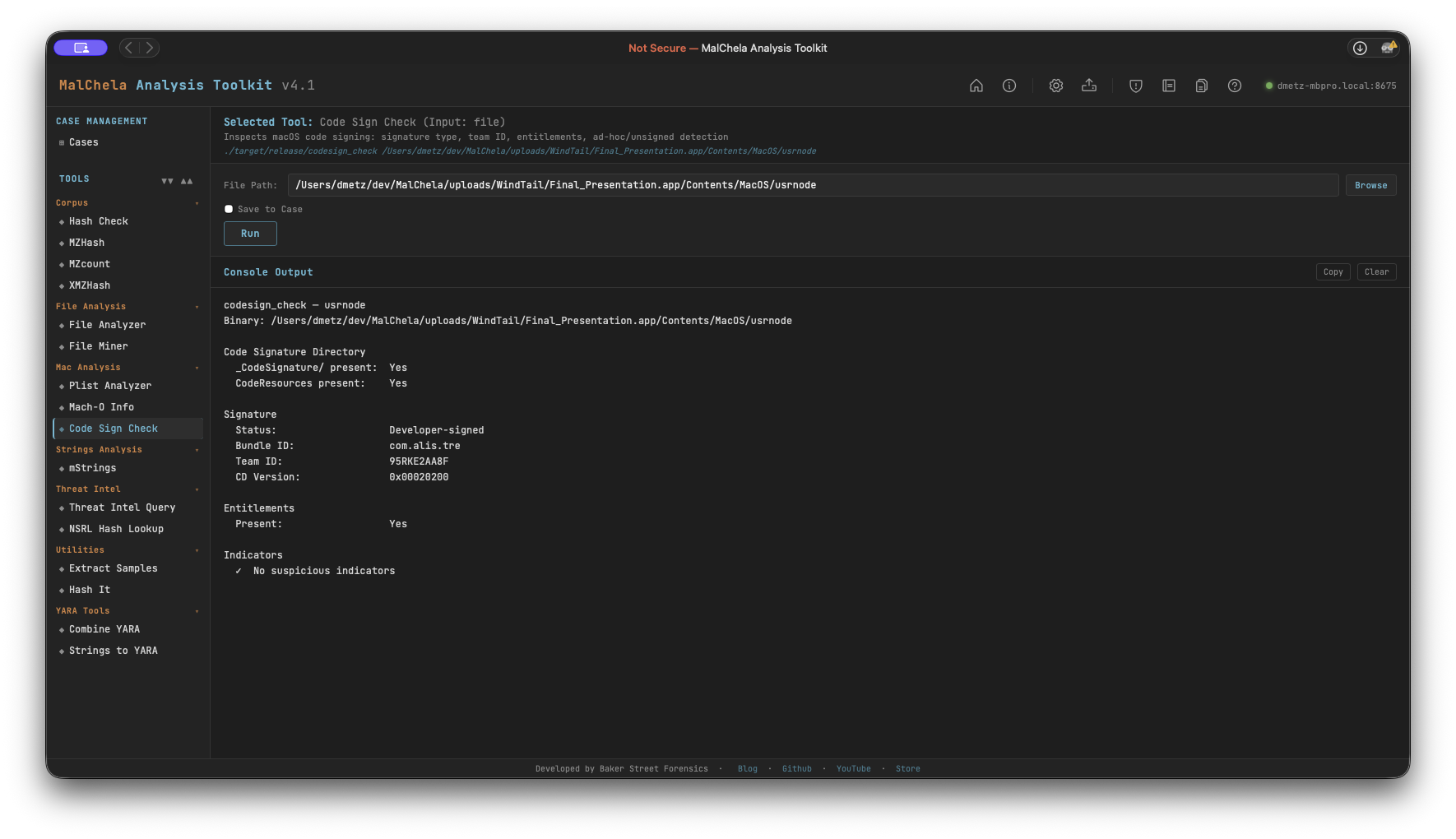
Code Sign Check
What It Checks
Code Signature Directory
- Presence of _CodeSignature/ directory within the bundle
- Presence of CodeResources (bundle resource seal)
Signature Status
- Developer-signed — CMS blob present, certificate chain embedded
- Ad-hoc — CS_ADHOC flag set in CodeDirectory and/or no CMS blob; self-signed, not from a developer account
- Unsigned — no _CodeSignature/ directory and no valid superblob
Extracted Fields
- Bundle ID (from CodeDirectory identOffset)
- Team ID (from CodeDirectory teamIDOffset, version ≥ 0x20200)
- CodeDirectory version and flags
- Entitlements presence
- get-task-allow entitlement (marks a debug/development build — not App Store or notarized)
Indicators Flagged
| Indicator | Significance |
|---|---|
No _CodeSignature/ |
Binary is unsigned |
| No CMS blob | Ad-hoc signature — not issued by a developer account |
CS_ADHOC flag set |
Ad-hoc signing confirmed in CodeDirectory flags |
| No Team ID | Ad-hoc, self-signed, or very old signing format |
get-task-allow |
Debug build — allows task port access; not notarized |
Note: Code Sign Check reports what is embedded in the binary. It does not perform an online revocation check (OCSP/CRL). A Developer-signed result means a real certificate was used at signing time — it does not confirm the certificate is still valid or unrevoked.
PWA Usage
Select Code Sign Check from the Mac Analysis category. Enter the path to a .app bundle or a Mach-O binary. File Miner will suggest Code Sign Check for any file it identifies as x-mach-binary.
🔧 CLI Syntax
# Check a .app bundle
cargo run -p codesign_check -- /path/to/Sample.app

# Check a Mach-O binary directly
cargo run -p codesign_check -- /path/to/binary

# Save output as Markdown to a case folder
cargo run -p codesign_check -- /path/to/Sample.app -o -m --case CaseXYZ
Use -o to save output and include one of the following format flags:
- -t → Save as .txt
- -m → Save as .md
When --case is used, output is saved to:
saved_output/cases/CaseXYZ/codesign_check/
Otherwise, results are saved to:
saved_output/codesign_check/