Plist Analyzer
Plist Analyzer parses macOS .plist files and .app bundle Info.plist for static malware indicators. It extracts bundle metadata, verifies the declared executable is present, and flags suspicious key combinations commonly found in macOS malware — including background-only agents, disabled App Transport Security, custom URL scheme registration, and environment variable injection.
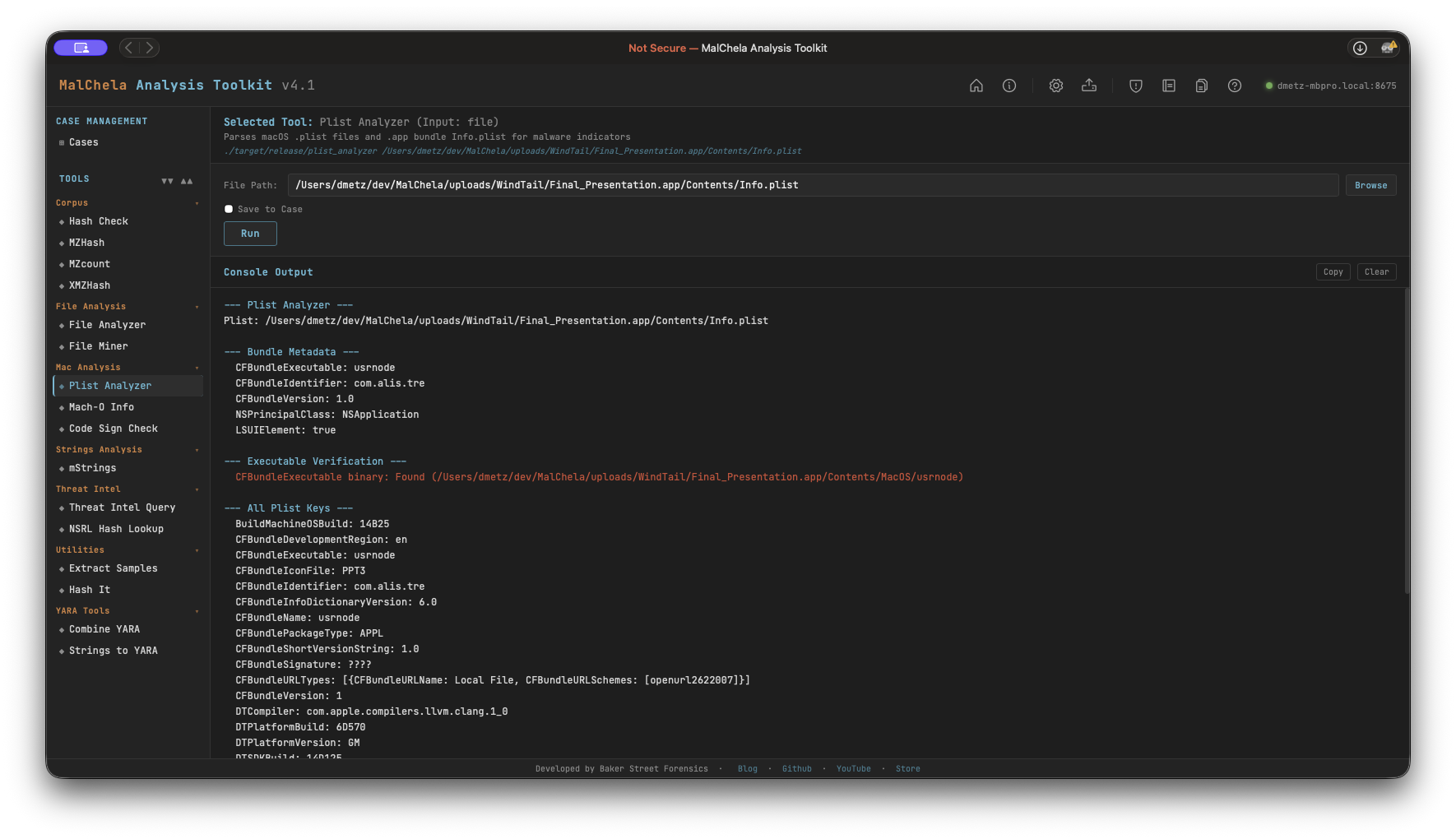
Plist Analyzer
Indicators Checked
| Indicator | Key | Why It Matters |
|---|---|---|
| Hidden background agent | LSUIElement / NSUIElement = true |
App runs with no Dock icon — common stealth technique |
| ATS disabled | NSAllowsArbitraryLoads = true |
Allows unencrypted HTTP connections — classic C2 channel |
| Custom URL scheme | CFBundleURLTypes |
Non-standard URL handler registration — used for persistence or IPC |
| No creator code | CFBundleSignature = ???? |
Missing creator code — common in unsigned tools and malware |
| Env var injection | LSEnvironment present |
Malware may inject environment variables at launch |
| Missing executable | CFBundleExecutable not in Contents/MacOS/ |
Bundle metadata declares a binary that doesn't exist |
| Extra binaries | Additional files in Contents/MacOS/ |
Undeclared executables alongside the declared one |
PWA Usage
Select Plist Analyzer from the Mac Analysis category. Enter the path to:
- A .plist file directly, or
- A .app bundle directory — the tool will automatically locate Contents/Info.plist
File Miner will suggest Plist Analyzer for .plist files it encounters during a folder scan.
🔧 CLI Syntax
# Analyze a .plist file
cargo run -p plist_analyzer -- /path/to/Info.plist

# Analyze a .app bundle (Info.plist resolved automatically)
cargo run -p plist_analyzer -- /path/to/Sample.app

# Save output as Markdown to a case folder
cargo run -p plist_analyzer -- /path/to/Info.plist -o -m --case CaseXYZ
Use -o to save output and include one of the following format flags:
- -t → Save as .txt
- -j → Save as .json
- -m → Save as .md
When --case is used, output is saved to:
saved_output/cases/CaseXYZ/plist_analyzer/
Otherwise, results are saved to:
saved_output/plist_analyzer/