Mach-O Info
Mach-O Info performs static analysis on macOS Mach-O binaries, including both thin (single-architecture) and fat/universal binaries. It reports architecture details, linked libraries, RPATH entries, per-section entropy, and symbol table status. Suspicious indicators are flagged automatically in the Indicators section.
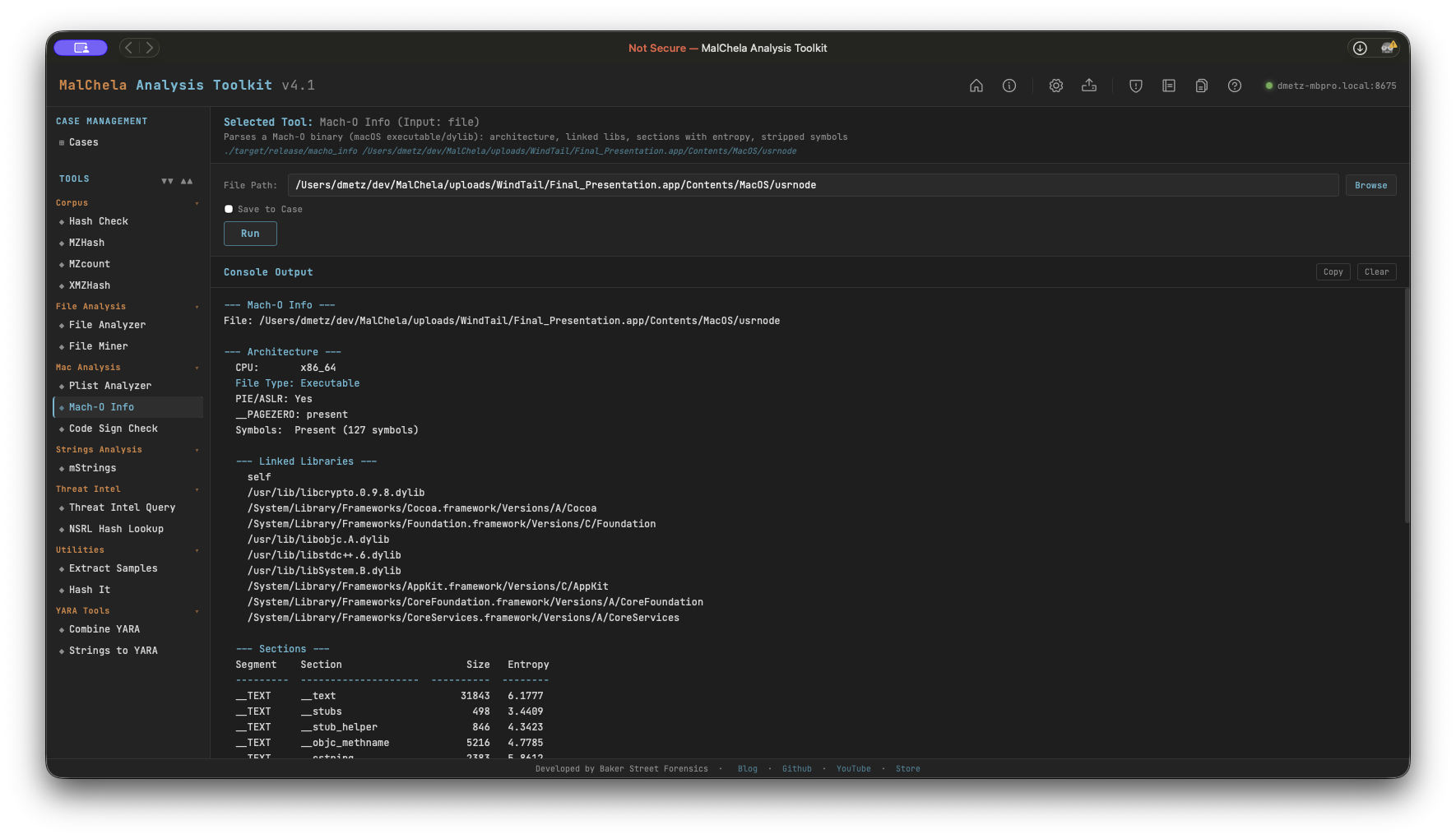
Mach-O Info
Analysis Sections
Architecture
- CPU type and subtype (x86_64, arm64, arm64e)
- File type (Executable, Dynamic library, Bundle, etc.)
- PIE/ASLR status (MH_PIE flag)
- __PAGEZERO presence and size (zero-sized = privilege escalation risk)
- Symbol table: present count or stripped
Linked Libraries All dylibs declared in load commands, including system frameworks and third-party libraries.
RPATH Entries Relative paths searched for dylib resolution — a vector for dylib hijacking if writable.
Sections with Entropy Per-section entropy table. Sections above 7.0 are flagged as potentially packed or encrypted.
Indicators Flagged
| Indicator | Significance |
|---|---|
| Stripped symbol table | Adversarial hardening — hinders analysis |
Zero-sized __PAGEZERO |
Classic privilege escalation technique in older macOS malware |
| High-entropy section (> 7.0) | Possible packed or encrypted payload |
| RPATH entries | Potential dylib hijacking surface |
| Deprecated crypto library | libcrypto.0.9.8 / libssl.0.9.8 — EOL OpenSSL with numerous known CVEs |
| C2 dylib triad | CoreFoundation + SystemConfiguration + Security with minimal other imports — common implant pattern |
PWA Usage
Select Mach-O Info from the Mac Analysis category and provide the path to a Mach-O binary. File Miner will suggest Mach-O Info for any file it identifies as x-mach-binary.
🔧 CLI Syntax
# Analyze a Mach-O binary
cargo run -p macho_info -- /path/to/binary

# Save output as Markdown to a case folder
cargo run -p macho_info -- /path/to/binary -o -m --case CaseXYZ
Use -o to save output and include one of the following format flags:
- -t → Save as .txt
- -j → Save as .json
- -m → Save as .md
When --case is used, output is saved to:
saved_output/cases/CaseXYZ/macho_info/
Otherwise, results are saved to:
saved_output/macho_info/