YARA Scan
YARA Scan runs YARA rules against a file or folder on MalChela's embedded YARA-X engine, the same engine the other MalChela tools use. Nothing extra to install. Its command line follows VirusTotal's yr scan: the same arguments, flag names, and output formats, so a command written for one runs on the other.
YARA Scan covers the options used in day-to-day scanning. For everything else, such as compiled rules or module data, install yr and use the YARA-X integration.
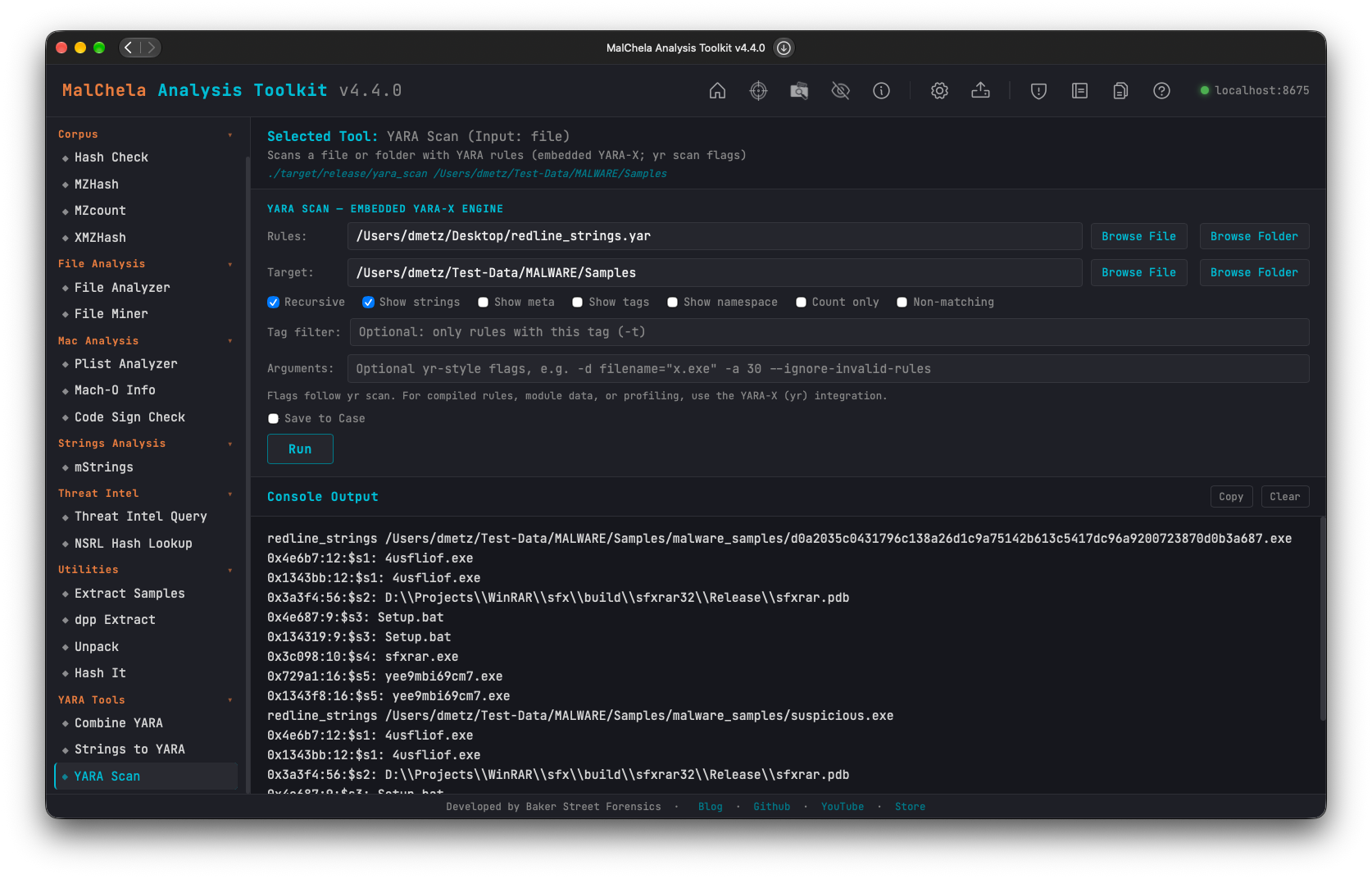
YARA Scan
🔧 CLI Syntax
./target/release/yara_scan [OPTIONS] [NAMESPACE:]RULES_PATH... TARGET_PATH
RULES_PATHis a.yar/.yarafile or a folder. Folders are walked recursively for.yarand.yarafiles. Give more than one to combine rule sets, and prefix one withNAME:to put its rules in that namespace (mal:rules/).TARGET_PATHis the file or folder to scan. Without-r, only the files directly in a folder are scanned.
# Scan a folder of samples, recursively, showing matching strings and tags
./target/release/yara_scan -r -s -g rules/ samples/

# Two rule sets in their own namespaces, with an external variable
./target/release/yara_scan -e -d filename=\"invoice.exe\" mal:rules/malware/ pup:rules/pup/ sample.exe

# Machine-readable output
./target/release/yara_scan -r -o ndjson -s -m rules/ samples/

# Save a Markdown report into a case
./target/release/yara_scan -r -s --case Acme --save rules/ samples/
Supported yr scan Options
| Option | Description |
|---|---|
-c, --count |
Print only the number of matching rules per file |
-d, --define VAR=VALUE |
Define an external variable. VALUE is an integer, float, true/false, or a quoted string (-d name=\"x\") |
--disable-console-logs |
Accepted for compatibility. console module output is never printed |
-w, --disable-warnings |
Don't print compiler warnings |
-e, --print-namespace |
Print each rule's namespace |
-g, --print-tags |
Print each rule's tags |
--ignore-invalid-rules |
Skip rule files that fail to compile, and report them as warnings |
-I, --ignore-module MODULE |
Ignore rules that use this module |
--include-dir PATH |
Extra directory to search for included files. Each rule file's own folder is always searched |
--max-matches-per-pattern N |
Cap the matches recorded per pattern |
-n, --negate |
Print the rules that did not match |
-o, --output-format FORMAT |
text (default), ndjson (one JSON object per file), or json (one document) |
--path-as-namespace |
Use each rule file's path as its namespace |
-m, --print-meta |
Print rule metadata |
-s, --print-strings[=N] |
Print each matching string with its offset and length, limited to N characters (default 120) |
-r, --recursive[=MAX_DEPTH] |
Scan subfolders of the target, optionally limited in depth (-r=2) |
--relaxed-re-syntax |
Accepted for compatibility. Relaxed regular-expression parsing is always on, so rules written for libyara compile |
--scan-list |
TARGET_PATH is a text file listing the paths to scan, one per line |
-z, --skip-larger SIZE |
Skip files larger than SIZE bytes |
-t, --tag TAG |
Report only rules tagged TAG |
-p, --threads N |
Number of scanning threads (default: one per core) |
-a, --timeout SECONDS |
Abort a file's scan after this many seconds |
-r and -s take their optional value with = (-r=2, -s=40), so -r rules/ samples/ never reads rules/ as a depth. yr works the same way.
Not Supported: Use yr
These yr scan options are refused with a message pointing to yr, never silently ignored:
-C,--compiled-rules-x,--module-data-f,--fast-scan--profiling--cpu-limit--no-mmap
yr's other subcommands, including check, compile, dump, fmt, and debug, are not part of YARA Scan either.
MalChela Additions
yr already uses -o, -t, and -m, so YARA Scan's MalChela options are long-only:
| Option | Description |
|---|---|
--save[=md\|txt\|json] |
Save a report: Markdown by default, the text output, or the JSON document |
--case NAME |
Save reports to saved_output/cases/NAME/yara_scan/ and register them with the case |
The Markdown report lists the rules and target, a summary table (file, rule, namespace, tags, and match count), and the matching strings for each file.
Differences from yr
- File order.
yrprints each file as soon as its scan finishes, so the order changes from run to run. YARA Scan sorts its output by path. - Rule order within a file. Both tools list a file's rules in the order they were compiled.
yrcompiles a rules folder in directory-listing order, and YARA Scan compiles it in sorted path order, so the same rules can appear in a different order. The results themselves are identical. - Regular expressions. Relaxed parsing is always on. A rule that
yrrejects under its default strict parsing may compile here, but not the other way around. - JSON
version. The-o jsondocument'sversionfield names MalChela's YARA Scan rather thanyr.
Web Interface
YARA Tools → YARA Scan has a simplified form: a rules file or folder, a target file or folder, checkboxes for the common options, a tag filter, and an Arguments field for any other supported flag. Choose Save to Case to write a report to the active case.
MCP
The yara_scan MCP tool runs the same scan and returns NDJSON with each rule's namespace, tags, metadata, and matching strings. When a case is active, it also saves a Markdown report there.